
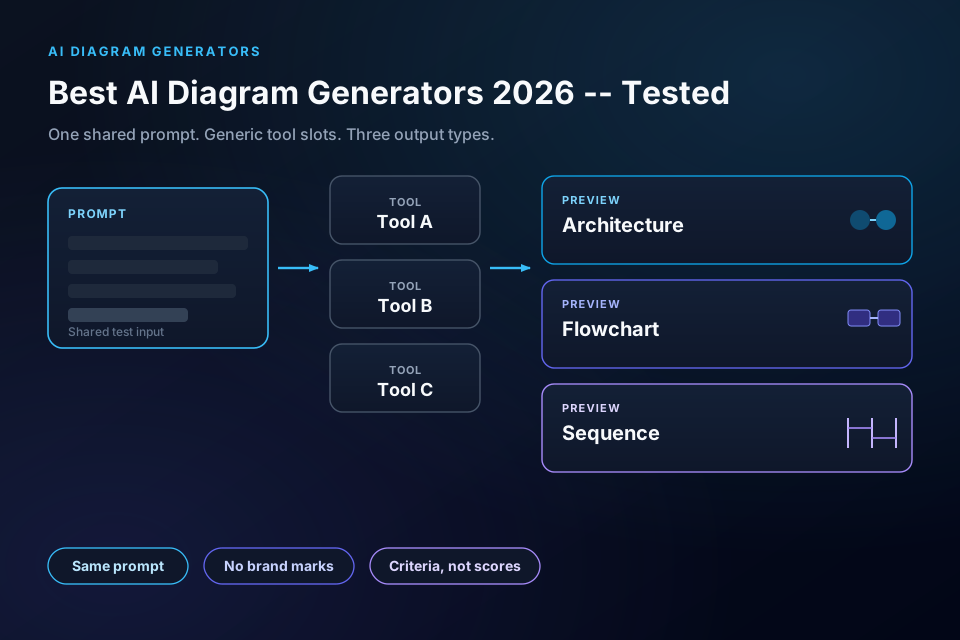
“Best AI diagram generator” search results are noisy: feature pages, affiliate roundups, and screenshots that never match the prompt you would actually type. This post uses one shared prompt for architecture, an order flowchart, and a sequence diagram, then records what we could honestly run on 7 October 2026 (IST). Full disclosure: ByteDiagram is our product. The Tested set is only the tools we did run: Claude → Mermaid, Excalidraw Text to diagram (AI Beta), Eraser DiagramGPT, and draw.io Mermaid import (Mermaid paste—not native NL AI). Everything else—including ByteDiagram AI (sign-in required), Mermaid Chart / mermaid.ai, Lucidchart AI, Miro AI, Whimsical AI, and Napkin AI—is under Not tested this round (sign-in / paywall / interactive UI not completed), not ranked with fake scores. Free-plan facts for ByteDiagram still come from our live /api/packages response (checked the same day): 2 AI credits/mo, GIF only, nodes=30, no free MP4, Pro $9 / Gold $39.
Quick picks
| Need | Pick | Test status | Why (facts only) |
|---|---|---|---|
| Architecture + flowchart + sequence from one prompt | Claude → Mermaid | Tested | All three types rendered as separate Mermaid SVGs from the shared prompt |
| Free canvas AI with editable shapes (no sign-in) | Excalidraw Text to diagram (AI Beta) | Tested | First Mermaid failed; regenerate rendered architecture + order flowchart; sequence dropped; Insert = native shapes; saw 9 then 8 requests left today |
| One image with architecture + flowchart + sequence panels | Eraser DiagramGPT | Tested | Ran free without sign-in; skipped 4 clarifying questions; PNG/SVG download gated behind free account |
| Editable nodes from Mermaid (not NL AI) | draw.io Mermaid import | Tested as Mermaid import | Pasted minimal architecture Mermaid; cylinders for DBs; every node/edge editable—not an in-app SaaS AI |
| Architecture with tech icons + timeline GIF | ByteDiagram | Not tested (sign-in for AI) | Our product; guest canvas disables AI; Free = 2 AI credits/mo + GIF, hard limit 30 nodes; video on Pro+ only |
How we tested
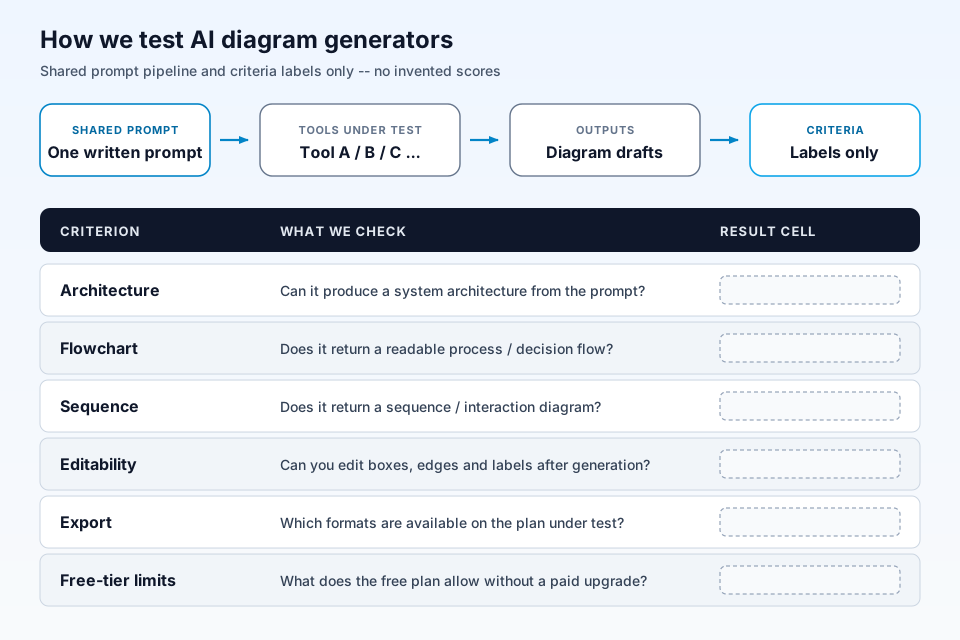
Date: 7 October 2026, Asia/Calcutta (IST). Plan default: free tier where one exists. Criteria: (1) architecture with the named components, (2) short order flowchart, (3) sequence Client → API Gateway → Orders → Payments, (4) whether output is editable, (5) export options observed or documented on the vendor page, (6) free-plan limits from the official pricing page (or live packages API for ByteDiagram).
Shared prompt (verbatim):
Draw an architecture diagram for a web app: Client browser → CDN → API Gateway → three backend services (Auth, Orders, Payments) → Redis cache and PostgreSQL. Show request flow for placing an order. Also provide a short flowchart of the order path and a sequence diagram for Client → API Gateway → Orders → Payments.
Tested set (same shared prompt above): Claude → Mermaid, Excalidraw Text to diagram (AI Beta), Eraser DiagramGPT, and draw.io Mermaid import (Mermaid paste—not native NL AI). Not tested this round (sign-in / paywall / interactive UI not completed): Mermaid Chart / mermaid.ai (sign-up), Lucidchart AI (sign-in), Miro AI, Whimsical AI, Napkin AI, and ByteDiagram AI (our product; guest canvas requires sign-in for AI). We do not invent scores or screenshots for tools we did not run. The machine-readable log is blog-053/TEST-LOG.md. For animated architecture workflows (a different job than “generate from text”), see our best free tools for animated architecture diagrams roundup.
1. Claude → Mermaid (open-source Mermaid) — tested
We wrote Mermaid for the three requested views from the shared prompt and rendered each as SVG through the public Mermaid render path (mermaid.ink). All three returned HTTP 200 SVGs on the test date.
- Architecture: Client browser → CDN → API Gateway → Auth, Orders, Payments → Redis cache and PostgreSQL.
- Flowchart: place order → CDN → gateway → Auth check → Orders → Redis → PostgreSQL → Payments → confirm.
- Sequence: Client → API Gateway → Orders → Payments with return paths.
- Editability: full—edit the
.mmdsource and re-render. - Export: SVG observed; also paste into mermaid.live or any Mermaid host.
- Free tier: Mermaid library and mermaid.live are free; Claude/ChatGPT usage depends on your LLM plan.
- Best for: READMEs, docs-as-code, PR diagrams, anyone who wants reproducible text diffs.
2. Excalidraw Text to diagram (AI Beta) — tested
Tested free at excalidraw.com with no sign-in: More tools → Generate → Text to diagram (AI). We pasted the shared natural-language prompt.
- First try: the AI wrote Mermaid covering architecture, order flowchart, and sequence in one go; the canvas failed with “Generated an invalid diagram” (Mermaid syntax error—likely multiple diagram types in one block).
- Regenerate (auto-fix): rendered architecture layers labeled Client Layer, Edge Network, Entry Point, Backend Microservices, and Persistence & Caching, plus an order flowchart from Start Order → Authenticated? through to Order Complete. The sequence diagram was dropped from the rendered output (it only appeared in the failed first Mermaid).
- Editability: yes—Insert placed native Excalidraw shapes.
- Limit text seen: “9 requests left today” then “8 requests left today” (vendor free editor lists 10 AI requests/day on Excalidraw AI).
- Export: export menu not opened this run.
- Best for: quick whiteboard-style architecture + flow when you accept a regenerate and possible missing sequence.
3. Eraser DiagramGPT — tested
Tested at eraser.io/diagramgpt on the free path without signing in. DiagramGPT asked four clarifying questions; we skipped all and clicked Generate diagram.
- Output: one image titled “Web App Architecture – Place Order Request Flow” with an architecture panel (Backend Services + Data Layer), an Order Path Flowchart panel, and a Sequence: Place Order panel (Client, API Gateway, Orders, Payments).
- Editability: partial—inline Ask for a change; full edit behind Save and Edit / Continue in Eraser (free account carry-over).
- Export observed: PNG and SVG offered. Verbatim gate: “Downloads need a free Eraser account. Sign up to download. Advanced formats such as PDF, PPTX, draw.io, and Visio are available with paid accounts.”
- Free-plan facts (vendor pricing, still apply): $0 — 3 files, 3 AI diagrams, 7-day version history (Eraser pricing). Starter $15/member/mo annual ($20 monthly) — 40 AI diagrams; Business $45/member/mo annual — 250 AI diagrams.
- Best for: a single composed architecture + flow + sequence image when you are willing to create a free Eraser account to download.
4. draw.io (diagrams.net) Mermaid import — tested as Mermaid import (not native AI)
Tested as Mermaid import at app.diagrams.net (free, no sign-in): Arrange → Insert → Advanced → Mermaid…. We did not paste the natural-language shared prompt into a native AI box. We pasted a minimal Mermaid architecture flowchart (Client→CDN→API Gateway→Auth/Orders/Payments→Redis/PostgreSQL), Format: Diagram.
- Result: accepted import; databases rendered as cylinders; every node and edge separately editable.
- Label clearly: this is a Mermaid import path, not an in-app SaaS AI generator. Official docs also describe an external/programmatic “Style reference for AI diagram generation” for
.drawiofiles. - Best for: when you already author Mermaid (or use Claude → Mermaid) and want editable draw.io shapes with cloud libraries.
- Sources: drawio.com, Mermaid diagrams blog, AI diagram style reference. For connector motion rather than AI generation, see animated flow diagram tools and how to create animated architecture diagrams.
5. ByteDiagram — not tested (sign-in required for AI); our product
Disclosure: ByteDiagram is our product. We checked the guest canvas at bytediagram.com/canvas/guest-demo: AI is disabled. Verbatim: “Sign in to use AI. You can edit and save this canvas locally without an account. AI generation requires signing in — we’ll keep your work and add it as your first project.” Sign-in is at sign-in (Google / GitHub / Email+Password). We did not complete the shared prompt through the signed-in AI Diagram Assistant on the test date.
Vendor-verified from bytediagram.com, pricing, and live GET /api/packages (7 October 2026 IST):
- Free ($0): unlimited projects; 2 AI credits / month; hard
limits.nodes = 30(treat 30 as binding even if marketing copy also mentions 50); basic export; GIF export. No video/MP4 on Free. - Pro ($9/mo): 50 AI credits/mo; 200 nodes; GIF + Video export.
- Gold / Business ($39/mo): 250 AI credits/mo; unlimited nodes; everything in Pro + dedicated support.
- Diagram types marketed: flowchart, architecture, sequence, pipeline, mind map, network, state, timeline—with tech icons and timeline animation on the product.
We do not claim free MP4/video export. For a worked architecture example (not this prompt), see our RAG architecture diagram post. For Visio-style comparisons, see the ByteDiagram vs draw.io vs Lucidchart page.
Not tested this round
We did not complete interactive same-prompt runs for Mermaid Chart / mermaid.ai (sign-up wall), Lucidchart AI (sign-in), Miro AI, Whimsical AI, or Napkin AI (sign-in / paywall / interactive UI not completed). They are not in the ranked Tested list and have no fake criteria rows. Research notes for those vendors remain in blog-053/TEST-LOG.md as an archive. ByteDiagram AI is covered above as our product disclosure (also not tested—sign-in required).
Side-by-side comparison
| Tool | Test status | Architecture / flow / sequence from prompt | Editable after gen | Free-plan notes (vendor / run, Oct 2026) |
|---|---|---|---|---|
| Claude → Mermaid | Tested | Yes / Yes / Yes | Yes (source) | Open-source Mermaid free; LLM costs separate |
| Excalidraw Text to diagram (AI Beta) | Tested | Yes (after regenerate) / Yes / No (dropped) | Yes (native shapes) | No sign-in; saw 9 then 8 requests left today; export menu not opened |
| Eraser DiagramGPT | Tested | Yes / Yes / Yes (one image, three panels) | Partial (Ask; full edit needs account) | Ran without sign-in; PNG/SVG download needs free account; pricing: 3 AI diagrams / 3 files |
| draw.io Mermaid path | Tested as Mermaid import | Architecture Mermaid imported (not NL AI) | Yes (every node/edge) | Free forever; Mermaid import — not SaaS AI |
| ByteDiagram (ours) | Not tested (sign-in for AI) | — | Canvas (product); guest AI disabled | 2 AI credits/mo; nodes 30; GIF yes; no free MP4; Pro $9 / Gold $39 |
Which AI diagram generator should you pick?
- Need all three types as separate, reproducible SVGs: Claude/ChatGPT → Mermaid. We tested it.
- Need free canvas AI without an account: Excalidraw Text to diagram (AI Beta)—we tested it; expect a possible first-pass Mermaid failure and a missing sequence after regenerate.
- Need one composed image with architecture + flowchart + sequence: Eraser DiagramGPT—we tested it; create a free account if you need PNG/SVG download.
- Need editable draw.io shapes from Mermaid: draw.io Mermaid import—we tested the import path (not native NL AI).
- Need architecture icons + timeline GIF (and you accept we are the vendor): ByteDiagram Free (2 AI credits/mo, 30 nodes, GIF)—sign in to use AI; we have not logged the shared prompt yet. Video is Pro+. No free MP4.
- Mermaid Chart / mermaid.ai, Lucidchart AI, Miro AI, Whimsical AI, Napkin AI: not tested this round—see the Not tested this round note (sign-in / paywall / interactive UI not completed).
Limits of AI diagram generators
- Hallucinated components: models invent services that were not in the prompt; always diff against your real topology.
- Multi-diagram Mermaid blocks fail: Excalidraw’s first pass put architecture + flowchart + sequence into one Mermaid block and errored; regenerate dropped the sequence.
- Layout cleanup: even good first drafts need spacing, crossing edges, and label fixes.
- Icon accuracy: “Redis” as a generic cylinder is not the same as a correct tech icon—check catalogs.
- Export traps: Eraser gated downloads behind a free account; watermarks, credit caps, node limits (ByteDiagram Free hard-caps at 30 nodes), and video-vs-GIF differences live on pricing pages; we refuse invented timings or scores.
FAQ
Is there a free AI diagram generator worth using in 2026?
Yes. On 7 October 2026 our Tested set was Claude → Mermaid, Excalidraw Text to diagram (AI Beta), Eraser DiagramGPT, and draw.io Mermaid import. Excalidraw and Eraser ran free without sign-in; Excalidraw showed daily AI request counters (9 then 8 left); Eraser offered PNG/SVG but gated downloads behind a free account. Open-source Mermaid remains fully free as text. ByteDiagram (our product) Free lists 2 AI credits/month and GIF export with a hard limit of 30 nodes per diagram; video/MP4 export is Pro and above—not free. ByteDiagram AI was not tested this round (sign-in required). Mermaid Chart / mermaid.ai, Lucidchart AI, Miro AI, Whimsical AI, and Napkin AI were also not tested this round (sign-in / paywall / interactive UI not completed).
Can AI make architecture diagrams?
Yes. From the same shared prompt in our Tested set, Mermaid rendered architecture, order flowchart, and sequence as separate SVGs. Excalidraw’s regenerate pass rendered architecture layers plus an order flowchart (sequence dropped after a failed first Mermaid block). Eraser DiagramGPT returned one image with architecture, order-path flowchart, and sequence panels. draw.io was verified via Mermaid import (not native NL AI). ByteDiagram AI (sign-in) and Mermaid Chart / mermaid.ai, Lucidchart AI, Miro AI, Whimsical AI, and Napkin AI are listed under Not tested this round—not ranked as Tested.
Is AI diagram output editable?
It depends on the tool. Mermaid output is fully editable as source text. Excalidraw Insert placed native editable shapes. draw.io Mermaid import made every node and edge separately editable. Eraser offered inline Ask for a change; full edit sat behind Save and Edit / Continue in Eraser with a free account. Always plan for layout cleanup and icon checks after generation.
Conclusion
The headline promise is “Tested.” On 7 October 2026 the Tested set was Claude → Mermaid, Excalidraw Text to diagram (AI Beta), Eraser DiagramGPT, and draw.io Mermaid import (not native SaaS AI). ByteDiagram stays as a disclosure section with honest Not tested (sign-in for AI)—Free facts: 2 AI credits/mo, GIF only, nodes=30, no free MP4, Pro $9 / Gold $39. Mermaid Chart / mermaid.ai, Lucidchart AI, Miro AI, Whimsical AI, and Napkin AI are Not tested this round (sign-in / paywall / interactive UI not completed)—not ranked with invented scores. Honest failures stay in the log: Excalidraw’s first Mermaid was invalid and the sequence was dropped on regenerate; Eraser downloads need a free account. That is stricter—and more useful—than a fake scoreboard.
Generate your next architecture diagram
Open ByteDiagram, describe your system, drop in tech icons, and export a GIF when you need motion—not another static screenshot. Video export is on Pro and above.
Open Diagram Editor