
This is a free-plan roundup for architecture diagrams that move—not another generic animated-flow list, and not a how-to. Facts below were checked on vendor pricing and docs on 7 October 2026 (IST). Full disclosure: ByteDiagram is our product. We do not claim free MP4/video export. Excalidraw is not on this list—no official free architecture animation path was verified on Excalidraw/Plus docs in this research pass. For methods, use the animated architecture methods guide; for a hands-on walkthrough, use the step-by-step architecture animation walkthrough; for a broader flow-tool list, see the 10 best animated flow diagram tools page.
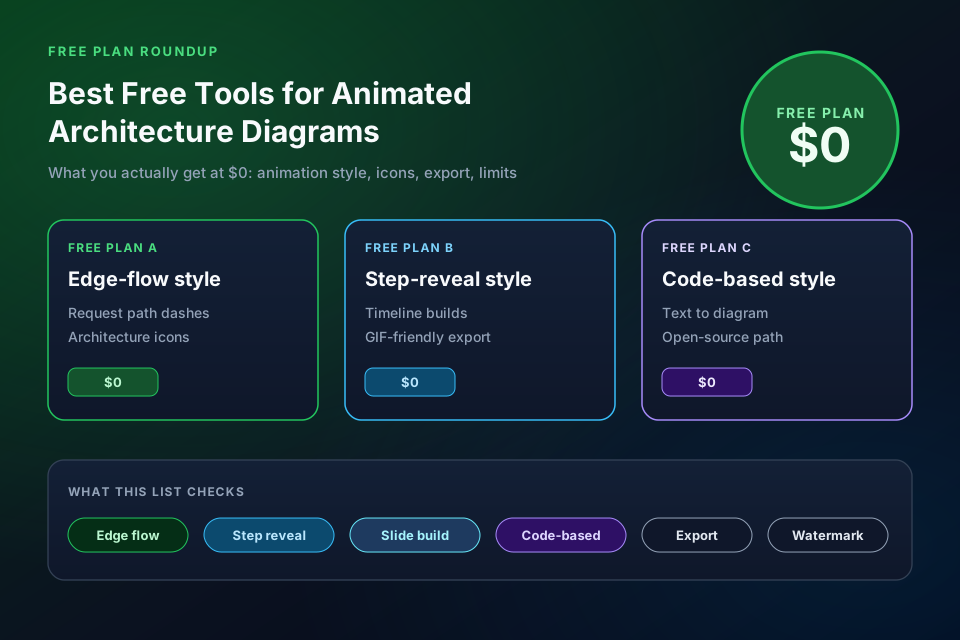
Quick comparison: what each free plan gives you
| Tool | Animation type | Architecture icons | Free export | Watermark | Free-plan limit (vendor) |
|---|---|---|---|---|---|
| ByteDiagram | Timeline / step reveal | Tech icon catalog (product) | Basic export + GIF | Not stated in packages API | 2 AI credits/mo; nodes 30; no free MP4 |
| draw.io | Connector edge flow | AWS / Azure / GCP libraries | Animated SVG, Animated GIF, static formats | None mentioned | Free forever; no sign-up |
| Mermaid (OSS) | Code-based edge animation | Shapes / text (no AWS pack) | SVG / HTML embed | N/A (OSS) | Open source; host yourself |
| Google Slides | Object / slide builds | Images / shapes (import) | Present live; downloads per Slides UI | None claimed | Free Google Account personal use |
| PowerPoint (free web) | Animations tab / motion paths | Shapes + imported icons | Per free Microsoft account / Web | None claimed | Free-web path via office.com; reconfirm in UI |
| Figma Starter | Prototype Smart Animate | DIY / Community kits | Prototype share (Starter) | Not claimed | Starter: 3 Design files; Smart Animate on any plan |
| Canva Free | Element / page animations | Generic elements (thin evidence) | GIF / video per Help (matrix thin) | Unknown from crawl | Free Animate styles; pricing often bot-walled |
| D2 | Multi-board / --animate-interval | Icons via import / text diagrams | SVG, PNG, PDF, PPTX, GIF, ASCII | N/A (OSS) | Open source CLI |
| Motion Canvas | Code-based (TypeScript) | DIY / code-drawn | Project video export | N/A (OSS) | Open source; steep learning curve |
| Manim | Code-based (Python) | DIY | Local render | N/A (OSS) | Open source (manim.community) |
What counts as an “animated architecture diagram” here
We only keep tools that can show a request or dependency path on a system diagram—client, edge, API, services, data stores—using one of: edge flow, step/timeline reveal, slide builds, or code-based motion. Pure marketing motion graphics without architecture structure are out of scope. AI text-to-diagram generators without free-plan animation belong in the best AI diagram generators tested post instead.
1. ByteDiagram (ours) — timeline reveal + GIF
Disclosure: ByteDiagram is our product. Free-plan animation is timeline / step-style reveal for architecture sequences. From live GET /api/packages (7 October 2026 IST): Free includes unlimited projects, 2 AI credits/month, hard limits.nodes = 30, basic export, and GIF export. Architecture is one of eight diagram types; homepage documents built-in tech icons (Docker, PostgreSQL, Kafka, Azure, and more). Video/MP4 export is not on Free—it appears on Pro ($9/mo) and Gold/Business ($39/mo). Watermark is not stated as a Free field in the packages API; we do not invent one. Best for: architecture explainers that need ordered reveal and a free GIF. Start at bytediagram.com/pricing.
2. draw.io (diagrams.net) — free connector flow
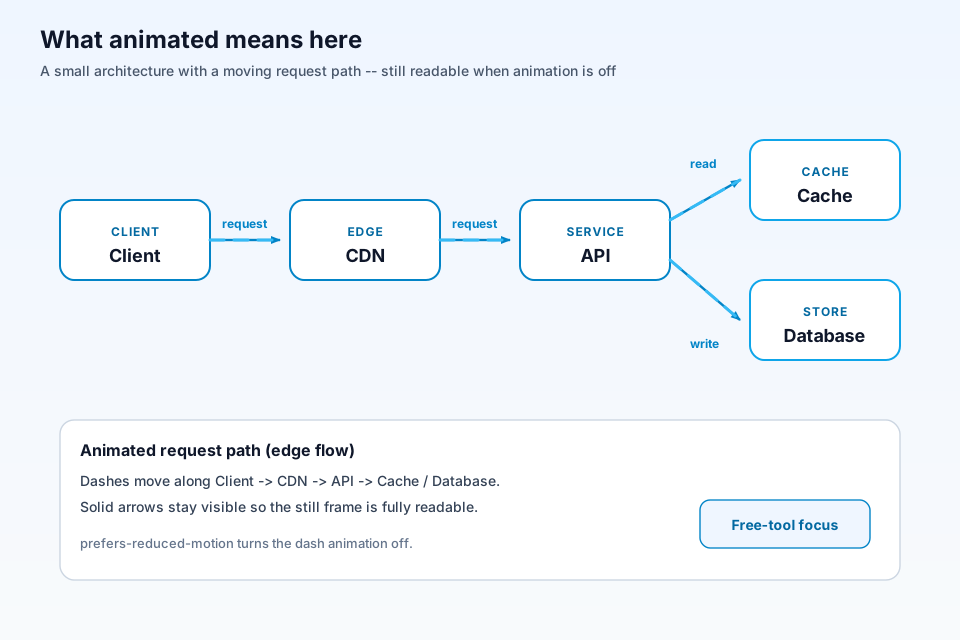
Official docs: enable Flow Animation on connectors (dashes move source→target; Flow Duration / Timing / Direction), then export SVG (animation preserved on the web) or Animated GIF. Homepage: free forever, no sign-up, Apache 2.0; AWS/Azure/GCP shapes via More Shapes → Networking. Best for: zero-cost edge-flow architecture on connectors. Sources: animate connectors, export Animated GIF, AWS diagrams.
3. Mermaid (open source) — code-based edge animation
Mermaid flowchart docs: assign edge IDs (e1@-->) and properties { animate: true, animation: fast|slow }, or classDef with animate. Free OSS; render to SVG in browsers/docs. Architecture is via shapes/text—not a packaged AWS/Azure icon library like draw.io. Best for: docs-as-code READMEs. Source: Mermaid flowchart syntax.
4. Google Slides (free) — slide builds
Free with a Google Account. Support doc: Insert → Animation on text/images/objects; Appear on click; transitions; by-paragraph lists. No vendor AWS icon library—import images/shapes for architecture pictures. Best for: teaching and meetings where everyone already has Slides. Frame as free personal Google Slides (Workspace is paid). Sources: Google Slides, animate objects.
5. PowerPoint (Microsoft 365 free web / free desktop builds)
Microsoft Support “Animate text or objects”: Animations tab—Appear, Emphasis, Exit, Motion Paths—documented for PowerPoint for Microsoft 365 and Web. Architecture icons are shapes + imports (no first-party cloud icon library verified here). Free path: office.com launches web apps; free Microsoft account historically includes PowerPoint for the web—reconfirm in-product if you need “always free” language. Best for: slide-build architecture walkthroughs already living in PowerPoint. Source: Animate text or objects.
6. Figma Starter — Smart Animate prototypes
Help: Smart Animate is available on any plan (tween matching layers between frames—scale, position, opacity, rotation, fill). Starter Free includes interactive prototypes; plan table lists advanced animations under paid columns—distinguish Smart Animate (any plan) from paid advanced extras. Starter limits (help): single team, one folder, 3 Design files, 30-day version history. Architecture icons are DIY or Community kits—not AWS-official packs. Best for: clickable architecture walkthroughs you already design in Figma. Sources: Figma pricing, Smart Animate help.
7. Canva Free — element animations (thin evidence)
Evidence is thin in this research pass: Canva Help documents Animate designs (Appear, motion paths, etc.) and download of animated designs as videos or GIFs; some styles are tagged Pro/Teams; Magic Animate is Pro-oriented. Pricing and full free-vs-Pro export matrix were often bot-walled / Cloudflare-challenged to automated fetch—re-open pricing/export in a browser before promising a format. Architecture icons are general shapes/templates, not a verified dedicated cloud architecture icon suite. Best for: presentation-style architecture stories, not precise cloud topology. Source used: Canva Animate designs help.
8. D2 / Terrastruct — animated SVG/GIF from text
Official: D2 can produce animated diagrams from text; CLI --animate-interval for animated SVG; GIF export for short compositions/steps/scenarios. Free OSS exports: SVG, PNG, PDF, PPTX, GIF, ASCII. Icons via image import; suitable for software/architecture text diagrams. Best for: engineers who want animated edges without a SaaS seat. Sources: D2 animation blog, D2 exports. (Note: d2lang.com/tour/animation/ returned 404—use blog + exports.)
9. Motion Canvas — code-based (TypeScript)
Motion Canvas is open-source, TypeScript-driven programmatic animation with a web editor sync. Architecture icons are DIY / code-drawn—not a cloud icon product. Steep learning curve (say so without scoring). Best for: developers who want programmatic control and are fine exporting video from a code project.
10. Manim (Community) — code-based (Python)
Manim Community is open-source Python scene animation (self.play(...)). Math/education oriented, but usable for explainer architecture if you code it. Local render; no cloud icon catalog. Best for: Python-first explainers. Sources: Manim docs, quickstart tutorial.
Free-plan limits that catch people out
- Video vs GIF: ByteDiagram Free is GIF (+ basic export) only; video is Pro+. Many other free plans are GIF-, prototype-, or slide-only—do not assume MP4.
- Node / file caps: ByteDiagram Free hard-caps at 30 nodes; Figma Starter at 3 Design files.
- Watermarks: Whimsical free exports carry a watermark (pricing)—one reason it is not on this architecture-animation list. Canva watermark status was unknown from successful research pages.
- Icon libraries: “animated” without AWS/Azure/GCP shapes still fails many architecture use cases—draw.io and ByteDiagram are stronger here than Slides/Canva/Figma DIY.
- Thin evidence: Canva free export matrix needs a human browser re-check; PowerPoint free-web availability should be reconfirmed in UI.
More free-animation tactics (without duplicating this table): how to create an animated diagram for free. For Visio-style static + GIF tradeoffs: ByteDiagram vs draw.io vs Lucidchart.
Which free tool fits your use
- Docs / README with edge flow: draw.io Animated SVG/GIF, or Mermaid/D2 SVG.
- Step-by-step explainer GIF: ByteDiagram timeline (ours; Free GIF, 30 nodes) or Slides/PowerPoint/Canva builds.
- Clickable prototype: Figma Starter Smart Animate.
- Programmatic video: Motion Canvas (TypeScript) or Manim (Python).
FAQ
Is there a free animated diagram tool with no watermark?
draw.io exports animated SVG and Animated GIF of connector flow with no account and no vendor watermark mentioned on those exports. Open-source Mermaid, D2, Motion Canvas, and Manim produce output without a tool watermark. ByteDiagram’s free plan lists GIF export and basic export; watermark status is not stated as a free-plan field in the packages API. This roundup does not claim free MP4 for ByteDiagram.
Can draw.io animate architecture diagrams?
Yes. draw.io’s docs describe Flow Animation on connectors and exporting to SVG (keeps animation on the web) or Animated GIF. It ships AWS, Azure and GCP shape libraries, so it fits architecture diagrams on a free forever plan.
GIF vs MP4 for architecture docs—what should I use?
GIF loops easily in docs, Notion, and many READMEs, but files get large and color is limited. MP4 is better for long explainers and social video, but many free plans either omit video export or gate it behind paid tiers. ByteDiagram Free lists GIF export only; video export is Pro (and Gold/Business). This roundup does not claim free MP4 for ByteDiagram.
Conclusion
Free animated architecture is real in 2026 if you match the animation style to the job: draw.io for connector flow, ByteDiagram for timeline reveal GIFs (Free: GIF + 30 nodes; no free MP4), Mermaid/D2 for code, Slides/PowerPoint/Figma/Canva for builds, Motion Canvas and Manim for programmatic video. Keep the how-to pages for steps; keep this page for what $0 actually unlocks.
Animate an architecture diagram on the free plan
Drop tech icons on a ByteDiagram canvas, order the timeline, and export a GIF—upgrade later only if you need paid video features.
Open Diagram Editor